Tutorial 21 of 23
Explore a net in the connectivity review
Intermediate 5 min
Pick any resolved net in Ohmforge, see every terminal, wire and label on it, jump to each one on the canvas and export the nets as CSV.
The connectivity review counts problems such as floating pins. When you want to know what one particular net actually connects, use Explore a net at the end of the same dialog. It lists everything that belongs to the net, so you can confirm that a label really joins two parts of the drawing or find the wire you forgot.
Open the explorer
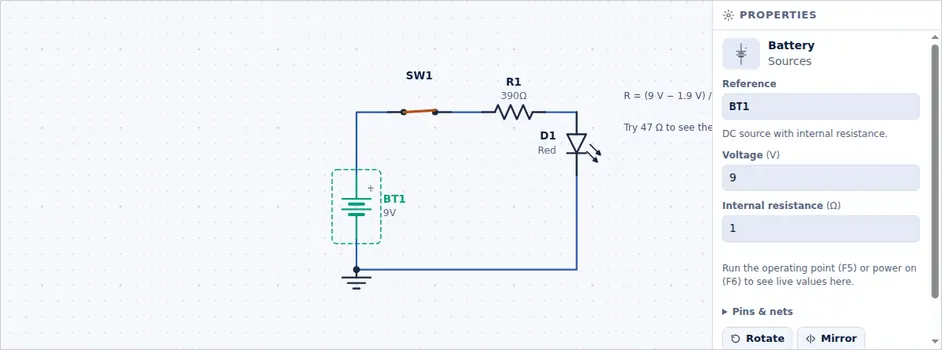
- Open the LED with series resistor template (or your own schematic).
- Choose Connectivity review: the check-mark button in the toolbar, or Simulate → Connectivity review….
- Scroll to Explore a net.
On an empty schematic the section says There are no nets to inspect. As soon as wires connect pins, every resolved net is listed.
Pick a net
Net to inspect lists the nets by name. Ground is 0; nets without a label get generated names such as N001. Generated names come from the current drawing and can change after edits, so name important nets with the Net label tool if you want stable names.
To find a net quickly, type into Search nets or connections. The search matches net names, part and pin IDs (for example R1 or SW1.1), labels and wire IDs, and the list narrows to matching nets. If nothing matches, the section says No nets match this search.
Read the connection list
Below the picker are two summary lines:
- Terminals / annotations and Wires: how many pins and labels are on the net and how many wire segments join them.
- Catalogued inputs, Catalogued outputs and Unclassified pins. Pin roles are only known for the built-in logic gates and the comparator model. Every other pin, including sources, resistors and supplies, is counted as unclassified. The counts describe the drawing; they do not tell you whether the net is powered or safe.
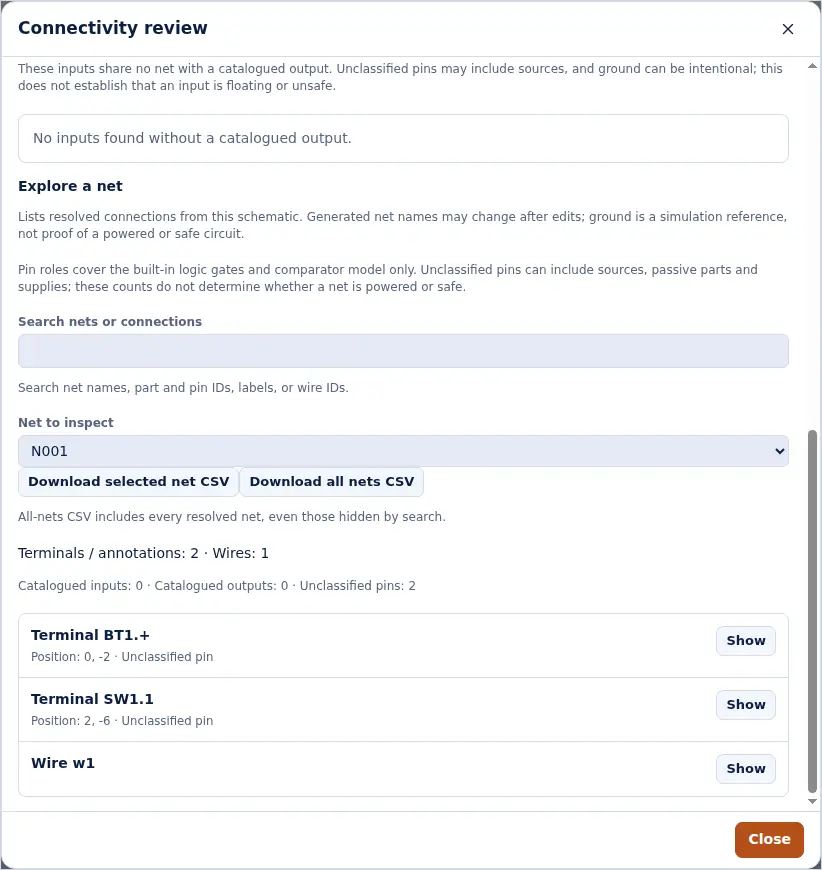
Then every connection gets its own row, for example Terminal BT1.+ with its grid position and role, or Wire w1. Show closes the dialog, selects that part or wire and centres the canvas on it, so you can check it against the drawing. Open Connectivity review again to continue with the next row.
Export the nets
- Download selected net CSV saves the rows of the net you are looking at.
- Download all nets CSV saves every resolved net, even nets the search currently hides. Use it to compare two versions of a design in a spreadsheet or to hand a netlist-like overview to someone without Ohmforge.
Good to know
- The explorer reads the schematic as it is when you open the dialog. After you edit the drawing, close the dialog and open Connectivity review again.
- Ground (
0) is the simulation reference. Being connected to it does not prove that a circuit is powered correctly or safe to build. - The Output conflict review (see output conflict review) uses the same pin roles to warn about two outputs on one net.
Ready to try it?